

Ticket Creation
Fields usually included:
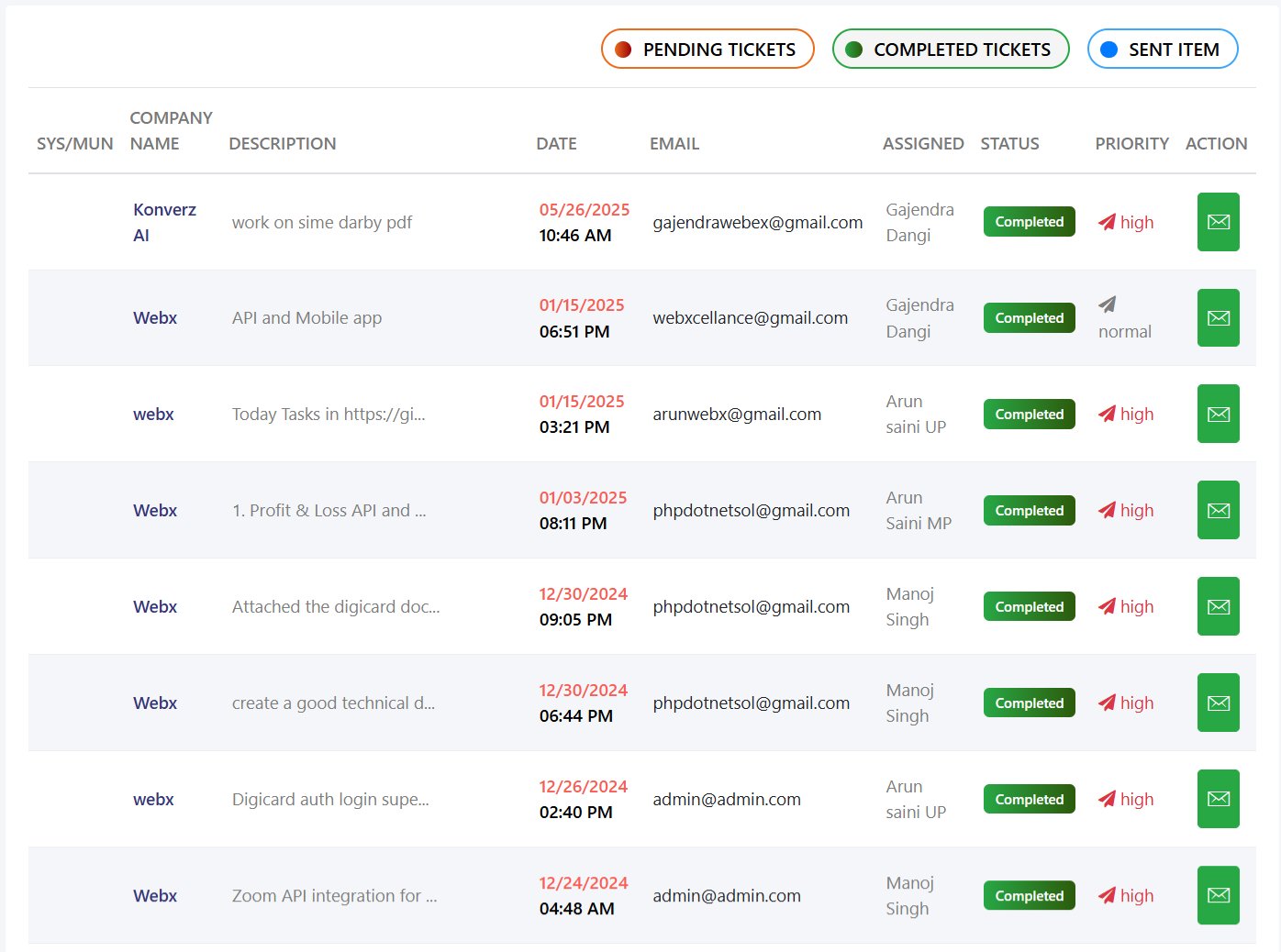
- Unique Ticket ID: Once created, the system assigns a unique ticket number (e.g., #TCK12345)
- Customer details (name, email, phone, company name)
- Subject / Title of the issue
- Ticket Assignment
- Detailed description (what, when, where, error message, screenshots/logs)
- Category (Technical, Billing, General Query, etc.)
- Priority (Low, Medium, High, Urgent)
- Attachments


Communication
All communication (customer replies, agent updates, status changes) happens within the ticket.
Ticket Status Management
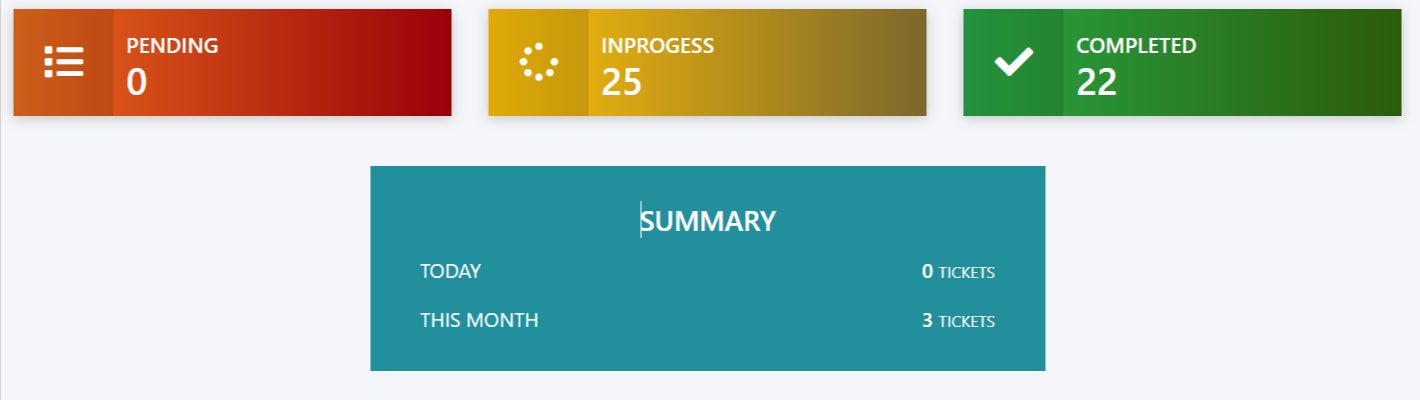
- Open → New issue created, not worked on yet.
- In Progress → Assigned, work is ongoing.
- Pending → Waiting for customer’s reply/3rd party.
- Completed → Customer confirmed / No further action needed.
Priority Levels
- Open → New issue created, not worked on yet.
- In Progress → Assigned, work is ongoing.
- Pending → Waiting for customer’s reply/3rd party.
- Completed → Customer confirmed / No further action needed.
Notifications & Alerts
Customers get email notifications for updates (e.g., “Your ticket #TCK12345 has been resolved”).
Agents get reminders/alerts for new or pending tickets.
Request a demo
Don’t wait — request your demo and start transforming your process today.
Get in touch
We are here to help you with your queries.